Cleaning, Repasting & Thermal Pads
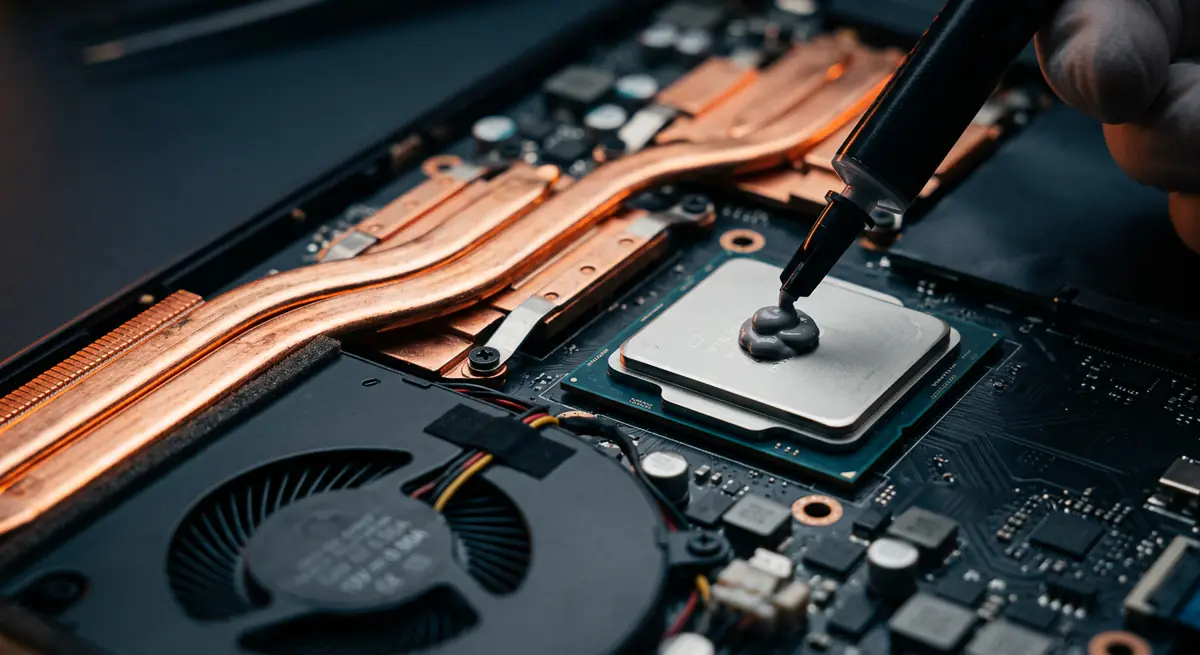
Over time, dust clogs fans and heatsinks while the thermal paste between your processor and its cooler dries out. The result: high temperatures, loud fans and throttled performance.
- Typical time1–2 hours
- Service modeAt your doorstep
- PricingUpfront quote
About this service
Over time, dust clogs fans and heatsinks while the thermal paste between your processor and its cooler dries out. The result: high temperatures, loud fans and throttled performance.
We open the machine, deep-clean the cooling system and replace the paste and pads with quality compounds — often bringing temperatures down dramatically.
What's included
- Deep internal dust cleaning
- Premium thermal paste
- New thermal pads for cooler temps
- Full internal dust removal
- Fan and heatsink cleaning
- Old paste removal and fresh thermal paste
- Thermal pad replacement where fitted
- Before / after temperature check
- Fan function test
Brands we repair
- HP
- Dell
- Lenovo
- Asus
- Acer
- Apple
- MSI
- Custom PCs
Do you need this service?
If any of these sound familiar, it's time to get it checked before it gets worse.
Laptop too hot to keep on your lap
Fans loud even on light tasks
Performance drops in games or heavy apps
Sudden shutdowns when under load
Visible dust in the vents
From call to fixed.
Temperature baseline
We record idle and load temperatures before opening.
Careful teardown
The cooling assembly is removed with the right tools.
Clean & repaste
Dust out, old paste off, fresh paste and pads on.
Test again
We compare temperatures so you can see the difference.
Common causes
What usually leads to this problem.
- Dust and pet hair blocking airflow
- Dried-out thermal paste
- Worn or misaligned thermal pads
- Using the laptop on beds or sofas
Tips from our technicians
Simple habits that help — before and after the repair.
- Avoid blocking vents with soft surfaces
- Use a cooling pad for long gaming sessions
- Get it cleaned every 12–18 months
- Keep the room dust-free where possible
Common questions
Everything you need to know about cleaning, repasting & thermal pads with Fix Point.
How much cooler will it run?
It depends on how dirty it was, but a noticeable drop in temperature and fan noise is common for machines that have not been serviced in a while.
Is it safe to open my laptop?
Yes. We use proper tools and anti-static handling, and we take care with clips and ribbon cables.
How often should I repaste?
Every 1–2 years for most laptops. Heavy gaming or dusty environments may need it sooner.
Does repasting improve gaming performance?
If your laptop was overheating and throttling, yes. Cooler temperatures let the processor and graphics hold higher speeds.
Do you clean desktop PCs too?
Yes. We clean desktop cabinets, CPU coolers, GPU fans and power supplies.
How do I book a repair?
Just call or WhatsApp us on +91 98447 42792, or send a message from our contact page. Tell us the issue and a convenient time, and we will schedule a visit.
Will I get a quote before the work starts?
Always. We diagnose the issue first and give you a clear, upfront quote. No work begins without your approval.
Do you use genuine parts?
Yes. We use genuine or high-quality compatible parts and will always tell you which option you are getting before we fit it.
You may also need

Laptop acting up? Stay put — we'll come to you.
Book a doorstep visit in minutes. Upfront quotes, genuine parts and repairs done right in front of you.